If you’re running a Shopify store without implementing Klaviyo automation, you’re missing out on significant revenue opportunities. Email marketing workflows create personalized customer experiences that drive conversions automatically, without requiring constant manual effort.
These intelligent email sequences allow eCommerce brands to send the right message at the right time, triggered by customer actions like browsing products, abandoning carts, or completing purchases. This guide will show you the essential automated flows every Shopify store needs to maximize revenue and build customer loyalty.
What is Klaviyo Automation?
Automated email workflows in Klaviyo automation are pre-built sequences that trigger based on customer behavior in your Shopify store. These intelligent campaigns respond in real-time to how shoppers interact with your brand, creating timely and relevant communications.
The platform integrates seamlessly with Shopify, syncing customer data instantly. This connection enables you to send personalized messages reflecting current store activity, product views, and purchase history without manual intervention.
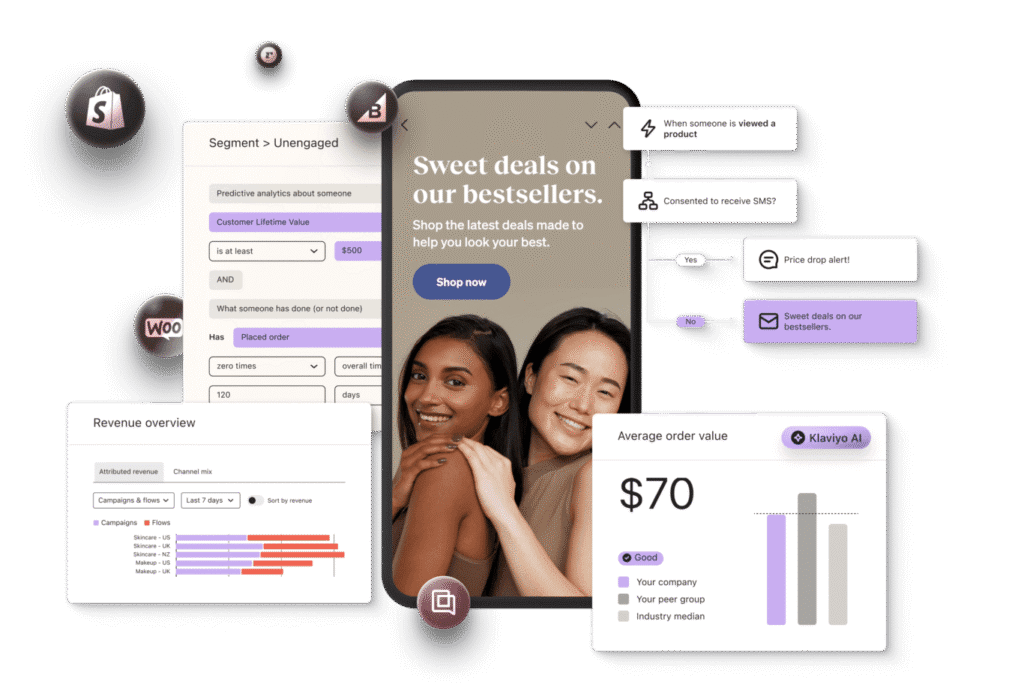
Why Every Shopify Store Needs Email Klaviyo automation
Implementing automated email flows delivers measurable benefits for eCommerce businesses:
Higher Revenue: Automated emails generate 3-5x more revenue per recipient than standard campaigns because they reach customers at high-intent moments.
Time Savings: Once configured, these flows run continuously without supervision, nurturing leads and recovering sales 24/7.
Personalization: Leverage customer data to deliver customized product recommendations to thousands of shoppers simultaneously.
Improved Retention: Timely communications create seamless experiences that keep customers engaged with your brand.
Essential Email Flows for Shopify Stores
1. Welcome Series Flow
Your welcome series makes the crucial first impression on new subscribers. This automated sequence triggers when someone joins your email list or creates an account.
What to Include:
- Brand introduction highlighting your unique value
- Exclusive welcome discount (10-15% works well)
- Bestselling products showcase
- Customer testimonials for social proof
Send your first welcome email immediately while interest peaks. Follow with 2-3 additional messages over the next week to maintain engagement without overwhelming new subscribers.
2. Abandoned Cart Recovery Flow
Abandoned cart recovery is the highest-ROI automated flow for Shopify stores. When shoppers add products but don’t complete checkout, this sequence brings them back automatically.
Optimization Strategy:
- First email within 1 hour (catches 20-30% of recoveries)
- Second email after 24 hours with product images
- Third email at 48-72 hours with urgency messaging
- Include clear product photos and pricing
- Add customer reviews for abandoned items
Industry data shows cart abandonment rates average 70%. A well-structured recovery flow can reclaim 15-20% of lost sales, representing substantial revenue for most stores.
For abandoned cart optimization tips, check out our conversion rate optimization strategies.
3. Browse Abandonment Flow
Not every visitor adds items to their cart. Browse abandonment catches customers who viewed products but didn’t take the next step. This workflow keeps your products top-of-mind.
Best Practices:
- Trigger after 24 hours of inactivity
- Display viewed products prominently
- Include related product recommendations
- Use gentle, helpful messaging
- Avoid aggressive sales language
4. Post-Purchase Flow
Customer relationships strengthen after the sale. Post-purchase email sequences enhance satisfaction, encourage repeat orders, and build loyalty.
Flow Structure:
- Order confirmation (immediate)
- Shipping notification (when fulfilled)
- Delivery confirmation (upon arrival)
- Product care tips (3 days post-delivery)
- Cross-sell recommendations (7-14 days later)
- Review request (14-21 days later)
This sequence maintains engagement during the crucial post-purchase window when customers form lasting brand impressions.
5. Win-Back Campaign Flow
Dormant customers represent untapped revenue potential. Win-back campaigns re-engage shoppers who haven’t purchased recently (typically 60-90 days, adjusted for your product cycle).
Effective Tactics:
- Acknowledge their absence warmly
- Exclusive “we miss you” discount (15-25%)
- New product highlights since last purchase
- Request feedback about their experience
- Make returning simple with direct product links
Reactivating existing customers costs significantly less than acquiring new ones, making win-back flows highly profitable.
6. Customer Review Request Flow
Social proof drives conversions. Automated review requests ensure you consistently collect testimonials and ratings.
Implementation Tips:
- Send 10-14 days after delivery
- Use simple one-click review processes
- Offer small incentives (5-10% future discount)
- Integrate with platforms like Judge.me or Yotpo
Reviews boost credibility, improve SEO, and provide valuable product insights for your business.
Advanced Email Marketing Strategies
Once core flows run smoothly, implement these advanced tactics:
Replenishment Reminders: For consumables, predict reorder timing based on purchase history and product usage patterns.
VIP Customer Flows: Reward high-value shoppers with exclusive early access, special discounts, and personalized attention.
Birthday Campaigns: Celebrate customers with special birthday offers that drive engagement and purchases.
Back-in-Stock Alerts: Notify interested customers automatically when sold-out items return to inventory.
Setting Up Klaviyo automation for Your Shopify Store
Getting started with email Klaviyo automation is straightforward:
- Install Klaviyo: Add the app from Shopify’s App Store
- Sync Your Data: Configure customer information sharing between platforms
- Enable Tracking: Activate behavioral tracking for browsing and cart activity
- Choose Templates: Start with pre-built Shopify flow templates
- Customize Content: Adapt messaging to match your brand voice
- Test Thoroughly: Send test emails before activating flows
The integration captures Shopify events like cart additions and checkouts automatically, triggering your email workflows in real-time.
Measuring Your Email Flow Performance
Track these critical metrics to optimize results:
- Flow Revenue: Total sales attributed to each automated sequence
- Open Rate: Percentage of recipients opening emails (target: 40-50%)
- Click Rate: Percentage clicking through to your store (target: 8-12%)
- Conversion Rate: Percentage completing purchases (target: 2-5%)
- Revenue Per Recipient: Average revenue per person in flow
Use Klaviyo automation built-in analytics to identify underperforming flows and test improvements through A/B testing.
Common Email Automation Mistakes to Avoid
Even experienced marketers make these errors:
Excessive Emails: Too many messages cause unsubscribes. Implement smart sending and frequency caps.
Generic Content: Personalization is the strength of automated workflows. Use dynamic content blocks and customer data fields.
Poor Mobile Experience: Over 60% of emails open on mobile devices. Ensure responsive templates.
Ignoring Exclusions: Don’t send abandoned cart emails to customers who already purchased. Set conditional splits properly.
Neglecting Maintenance: Review flows quarterly and update messaging, offers, and timing based on performance data.
Email Automation with Conversion Optimization
Email workflows work best alongside comprehensive conversion optimization. At Ancorrd, we help eCommerce brands maximize the value of every visitor from your email campaigns.
While Klaviyo automation brings customers back to your store, our conversion strategies ensure they complete purchases. We’ve helped brands increase conversion rates by 50-200% through optimized landing pages, streamlined checkouts, and enhanced user experiences without increasing ad spend.
Combining powerful automated email flows with high-converting website experiences creates a complete revenue engine for sustainable eCommerce growth.
Start Implementing Email Flows Today
Begin with high-impact sequences first: welcome series and abandoned cart recovery deliver immediate results. Add additional workflows as you become comfortable with the platform.
Remember that email marketing requires ongoing optimization. Review performance monthly, test new approaches, and refine messaging based on customer response. The most successful eCommerce brands treat their email strategy as a continuous improvement process.
The beauty of automated workflows lies in their autonomous operation. Once properly configured, these sequences generate revenue continuously, engaging customers at critical moments throughout their journey with your brand.
Ready to transform your Shopify store with Klaviyo automation? Implement these essential flows and watch your revenue grow through intelligent, automated customer engagement.
FAQ’s
Q: How much does Klaviyo automation cost for Shopify stores?
A: Klaviyo pricing starts free for up to 250 contacts. Paid plans begin at $20/month based on your email list size. Most Shopify stores find the investment generates 20-50x ROI through automated revenue.
Q: How long does it take to set up Klaviyo automation?
A: Basic flows like abandoned cart and welcome series can be configured in 2-3 hours using templates. A complete automation setup typically takes 1-2 weeks including customization and testing.
Q: What’s the most profitable Klaviyo automation flow?
A: Abandoned cart recovery typically generates the highest immediate revenue, often recovering 15-20% of abandoned sales. Post-purchase flows drive the highest lifetime value through repeat purchases.
Q: Can Klaviyo automation send SMS messages too?
A: Yes, Klaviyo supports both email and SMS automation. SMS works particularly well for time-sensitive messages like abandoned cart reminders and shipping updates.
Q: How do I prevent Klaviyo automation from sending too many emails?
A: Use Klaviyo’s smart sending features and set frequency caps to limit emails per customer per week. Exclude recent purchasers from promotional flows and segment carefully.